OVELDA product
OVELDA Bills & Sinking Funds Planner
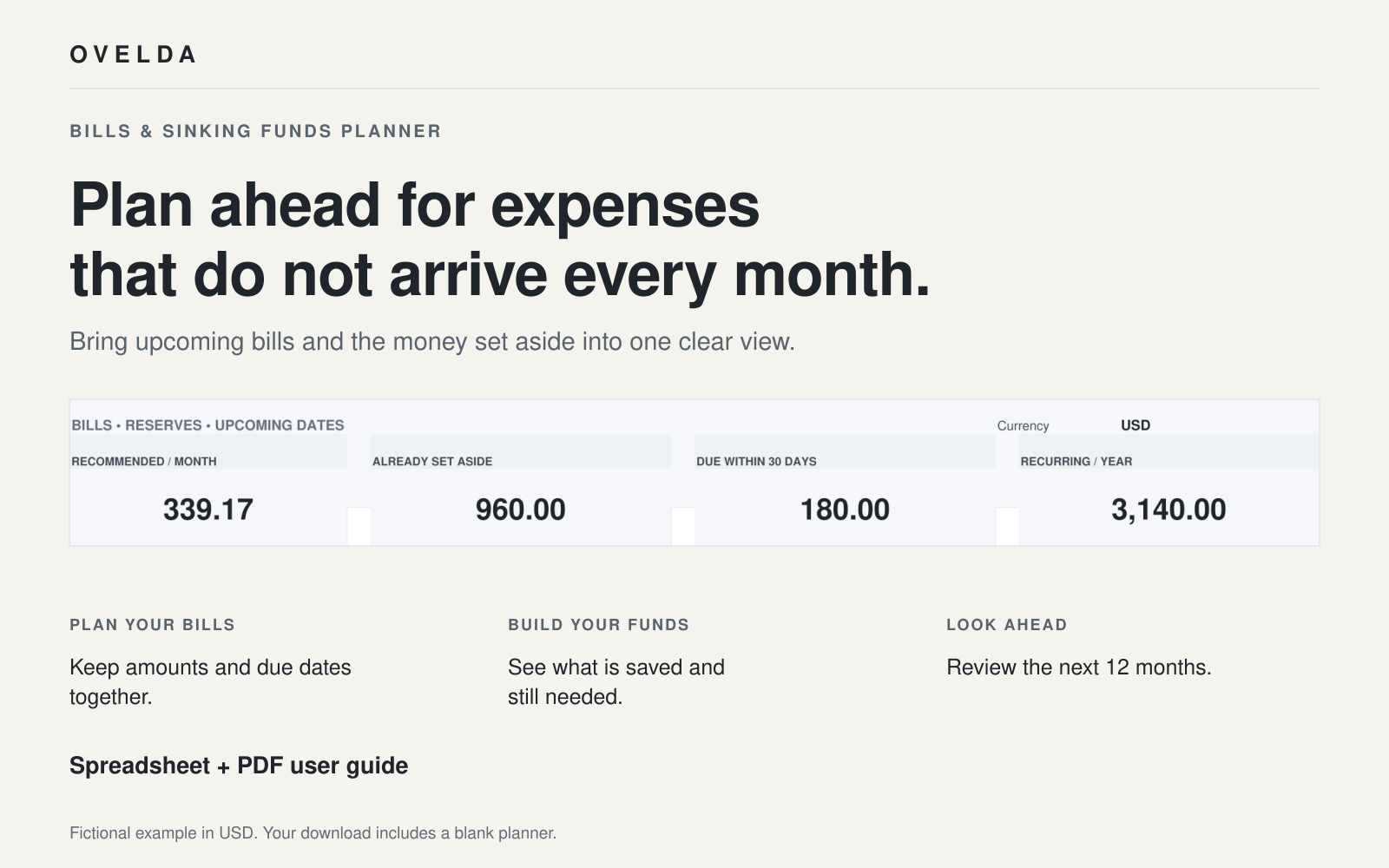
Plan for the expenses that do not arrive every month.
Insurance renewals, car repairs, annual subscriptions and holidays rarely fit neatly into a monthly budget. This spreadsheet helps you see them coming and set money aside gradually, so they feel planned rather than sudden.
Free · Direct download, no login or email · Spreadsheet (.xlsx) + PDF guide
See inside the planner
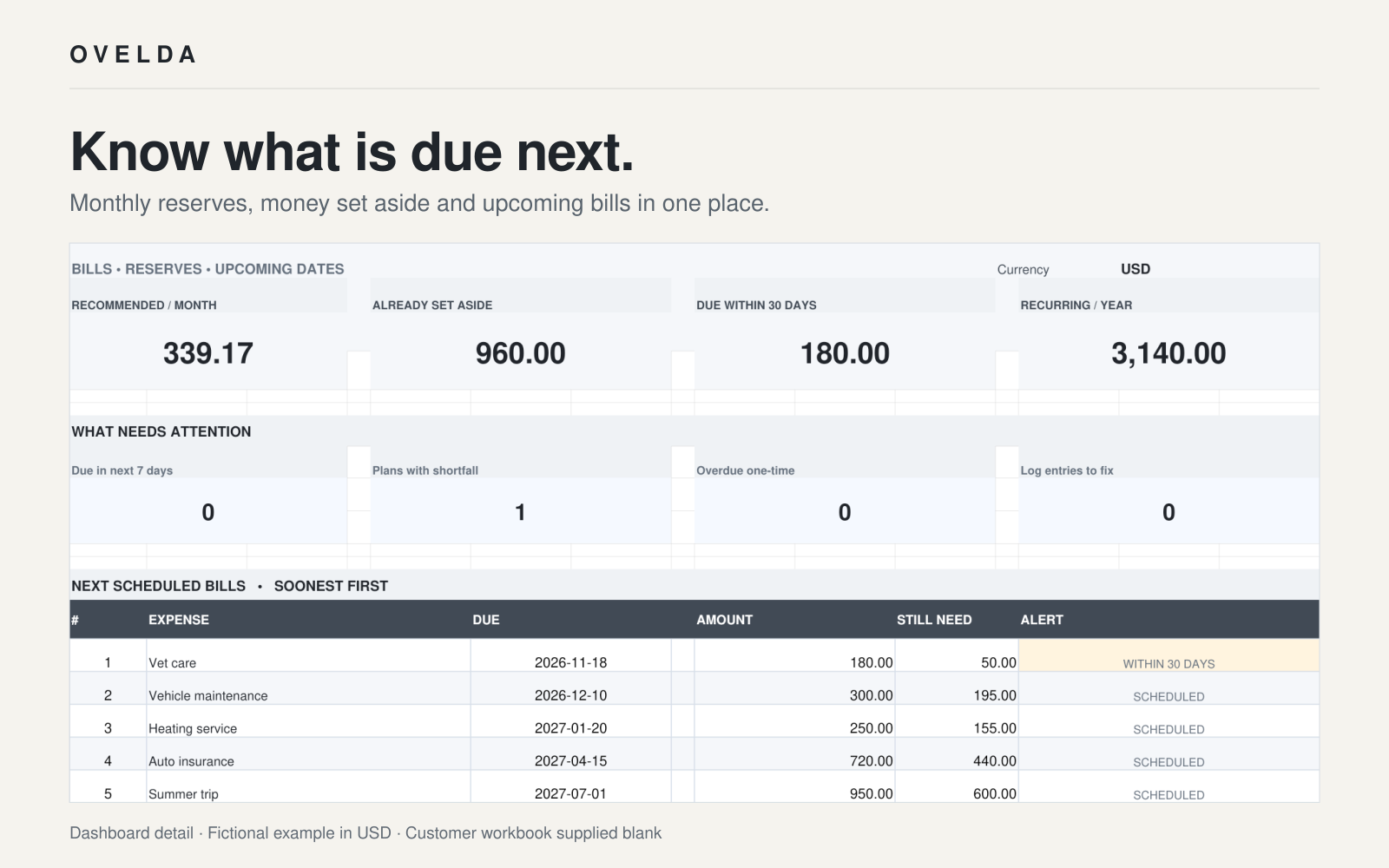
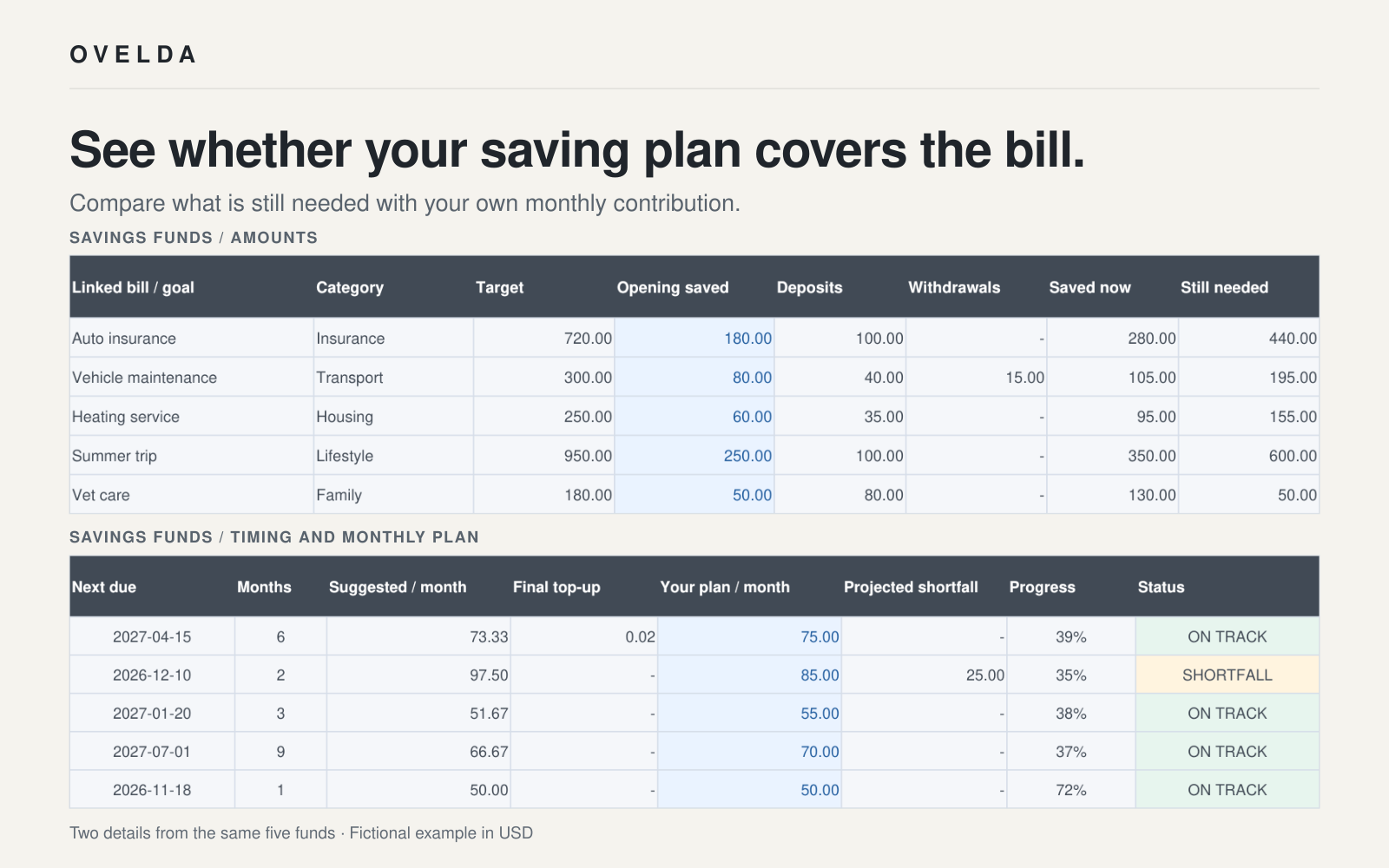
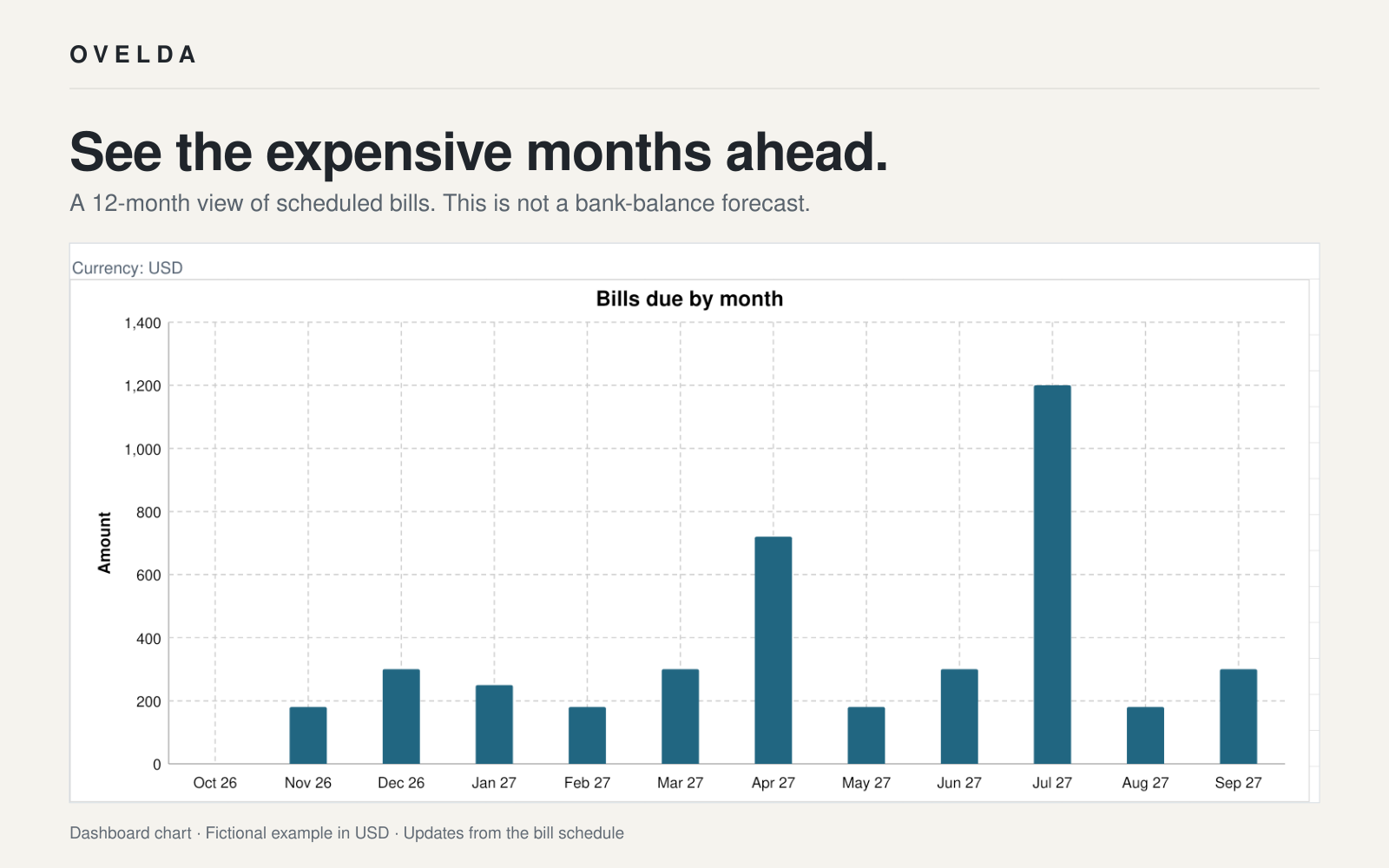
Fictional sample data. Your download includes a blank planner.
A short tour of the planner
A silent 20-second look at the cover, dashboard, savings funds and 12-month outlook.
Plan for expenses that do not arrive every month.
Fictional sample data. Your download includes a blank planner.
Irregular expenses are easy to underestimate
Monthly bills are visible every month. Irregular ones are not. An annual premium or a twice-yearly service can be out of mind until the payment is due, and then it competes with everything else that month.
A simple planning system spreads these costs across the year. Knowing roughly what to set aside each month turns a surprise into a known amount.
What it helps you do
- List recurring and one-time irregular expenses
- Estimate how much to set aside each month
- Track what you have already saved
- Record deposits and withdrawals
- See what is coming in the next 12 months
- Spot shortfalls early
What’s included
- Planner workbook (OVELDA_Bills_Sinking_Funds_Planner.xlsx)
- User guide (OVELDA_Bills_Sinking_Funds_Planner_Guide.pdf)
The workbook is organised into six tabs:
- Start Here
- Dashboard
- Bills
- Savings Funds
- Activity Log
- 12-Month Outlook
How it works
- Step 1: Add your bills. List the irregular expenses you expect, with amounts and due dates.
- Step 2: Set what is already saved. Enter the amount you have put aside for each fund so far.
- Step 3: Record deposits and withdrawals. Log money going into or out of each fund as it happens.
- Step 4: Review the dashboard and outlook. Check monthly reserves, progress and the months ahead.
Who it is for
- Households planning for annual bills
- Individuals who want clearer monthly budgeting
- People who prefer a manual spreadsheet workflow
Important notes
- This is a spreadsheet tool only.
- No bank integration. You enter your own figures.
- No automatic payments.
- No macros.
- No personalised financial advice.
Frequently asked questions
- What file format is included?
- Two free files: a blank .xlsx planner and a PDF user guide.
- Do I need Microsoft Excel?
- No. The planner is supplied as an .xlsx spreadsheet. Calculation checks have been completed in Google Sheets and LibreOffice Calc. Microsoft Excel has not been directly tested for this release.
- Can I use Google Sheets or LibreOffice Calc?
- Yes. Open the .xlsx file in LibreOffice Calc, or upload it to Google Drive and save it as a Google Sheet. Layout, chart styling and cell protection can vary between applications, so keep an untouched backup and enter data only in the blue input cells.
- Does this connect to my bank?
- No. There is no bank integration and no automatic payments. You enter and update your own figures.
- Is this financial advice?
- No. The planner is a spreadsheet tool for organising your own numbers. It does not provide personalised financial advice.
- Can I keep the downloaded files?
- Yes. Once you have downloaded the files, they are yours to keep and use.
Plan ahead, one month at a time
Put your irregular expenses in one place and decide for yourself what to set aside.
Free · Direct download, no login or email
OVELDA provides educational tools and templates, not personal financial advice.