OVELDA product
Subscription Audit Spreadsheet for Excel & Google Sheets
See your recurring costs in one place, compare what they really cost over a year, and decide what to keep, review or cancel.
Free · Blank Excel (.xlsx) template · Import into Google Sheets · No login or email
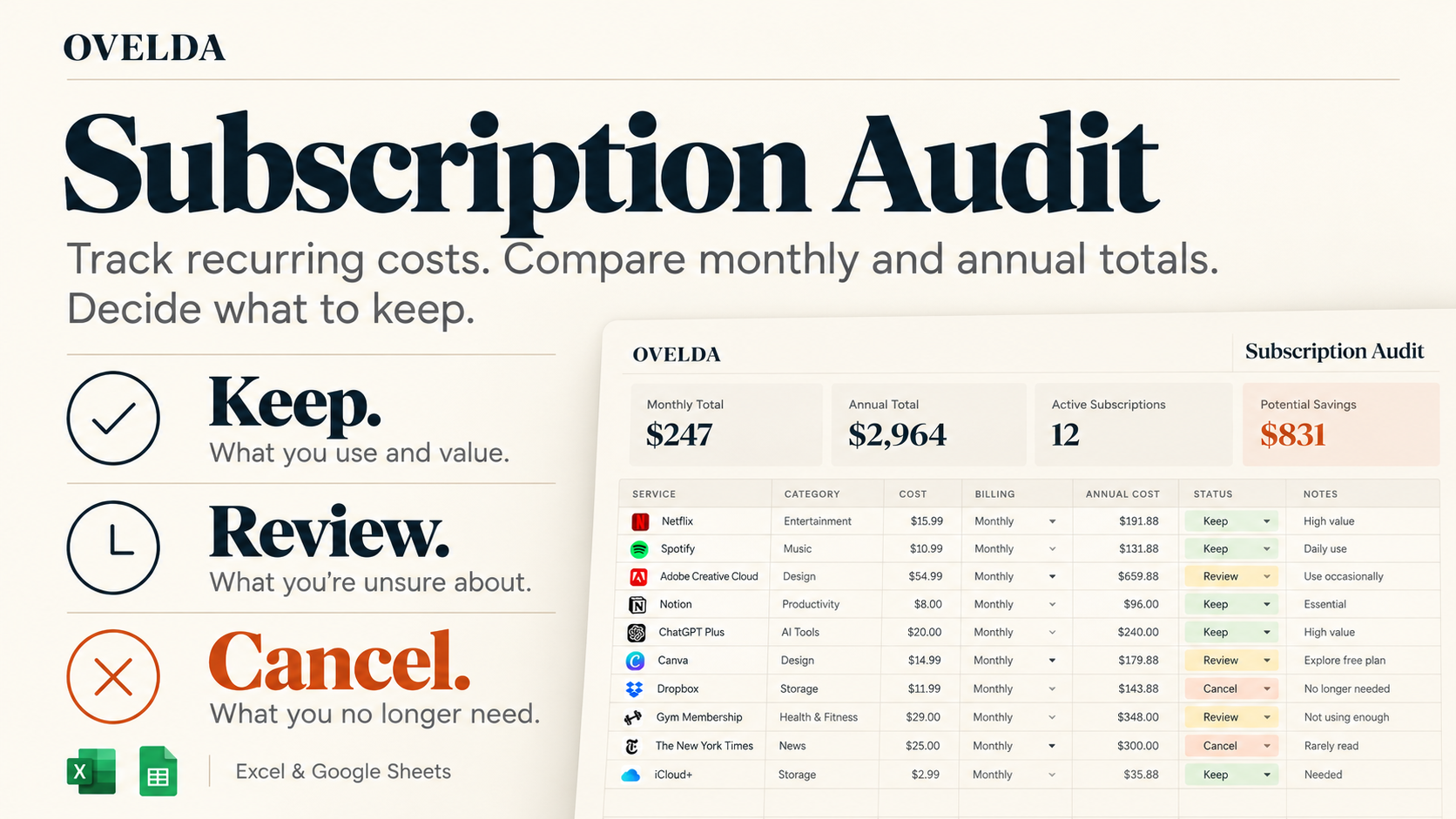
See inside the spreadsheet
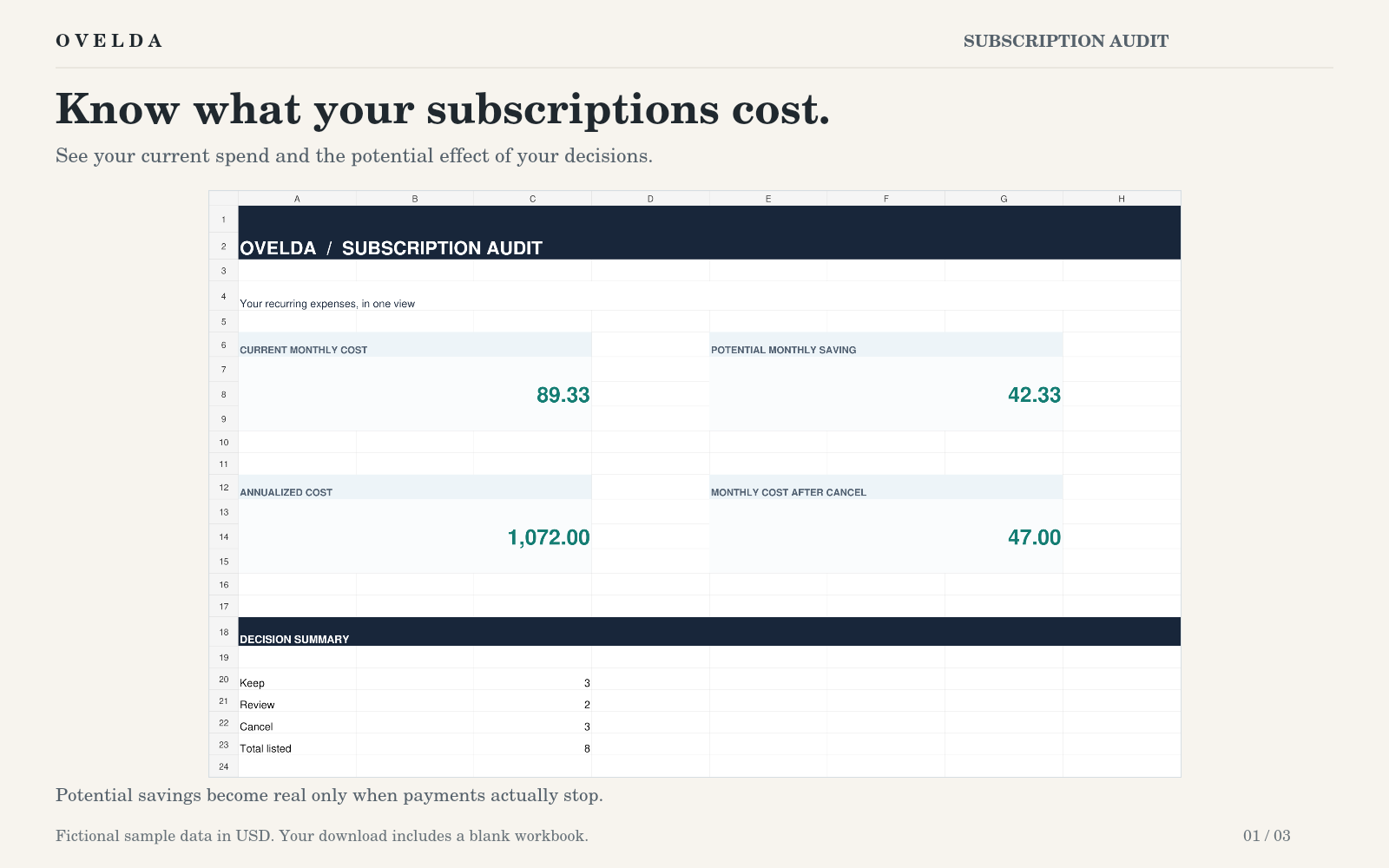
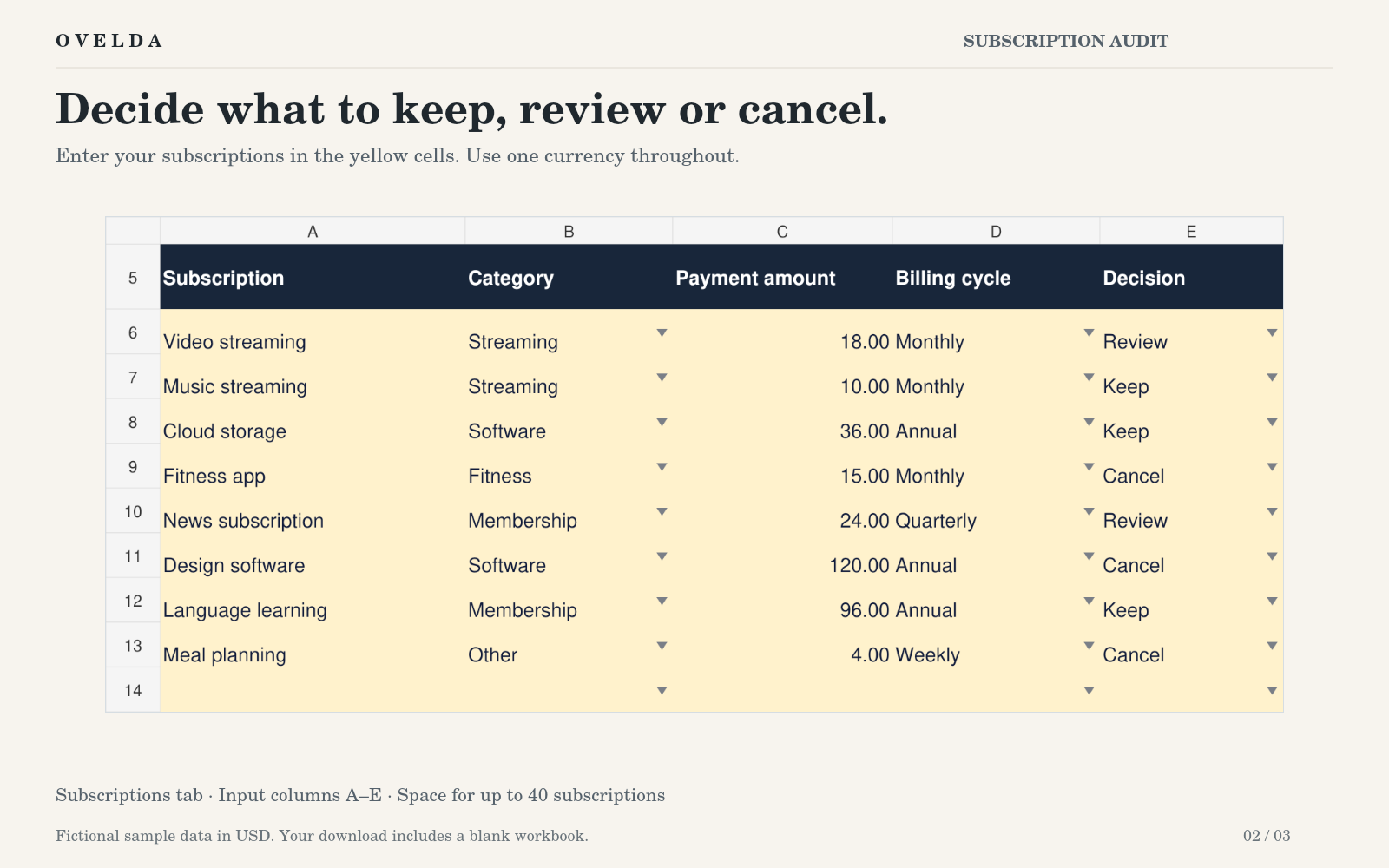
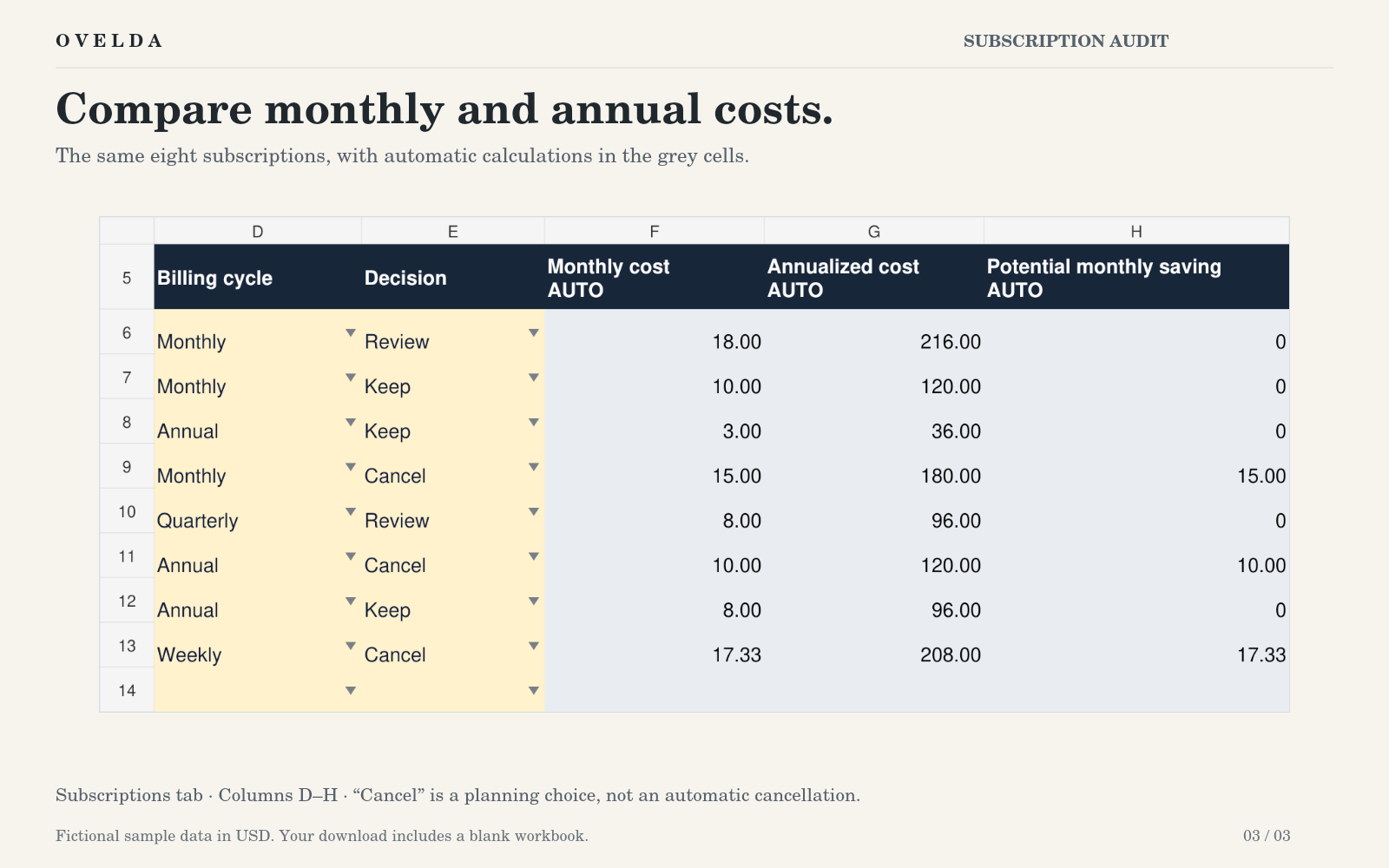
Fictional sample data in USD. Your download includes a blank workbook. Potential savings depend on payments actually stopping.
Small recurring costs are easy to ignore
Monthly prices are hard to compare with each other, and annual subscriptions can drop out of sight between renewals. Several small recurring charges can add up to more than you expect.
Knowing the total is useful. The real decision is whether each cost still earns its place.
Track the cost. Then make a decision.
Don’t just track subscriptions. Audit them.
Keep
Worth the recurring cost.
Review
Needs another look.
Cancel
No longer earns its place.
A simple subscription audit
- Step 1: List your recurring costs
- Step 2: Compare monthly and annual cost
- Step 3: Mark each one Keep, Review or Cancel
- Step 4: See what your decisions could change
The spreadsheet does not cancel anything for you. Any change is your decision, and any difference depends on the costs you enter and the choices you make.
What’s included
- The Subscription Audit spreadsheet
- Works in Microsoft Excel
- Works in Google Sheets
Your data stays with you
The Subscription Audit does not require a bank connection. You enter the recurring costs you want to review yourself.
Useful when recurring costs have become hard to see
For example, you might add:
- Software and app subscriptions
- Streaming services
- Memberships
- Annual renewals
- Other recurring personal costs
Product details
- Price
- Free
- Format
- Excel (.xlsx), can be imported into Google Sheets
- What you get
- A blank template, ready for your own subscriptions
- Access
- Direct download, no login or email required
- Cancellation
- The spreadsheet does not cancel subscriptions for you
See what is worth keeping
Put your recurring costs in one place and review them with the same question each time: keep, review or cancel?
OVELDA provides educational tools and templates, not personal financial advice.